Web-Based Trading Terminals Explained: What Every Retail Investor Should Evaluate Before Logging In
The Rise of the Browser-Based Trading Terminal
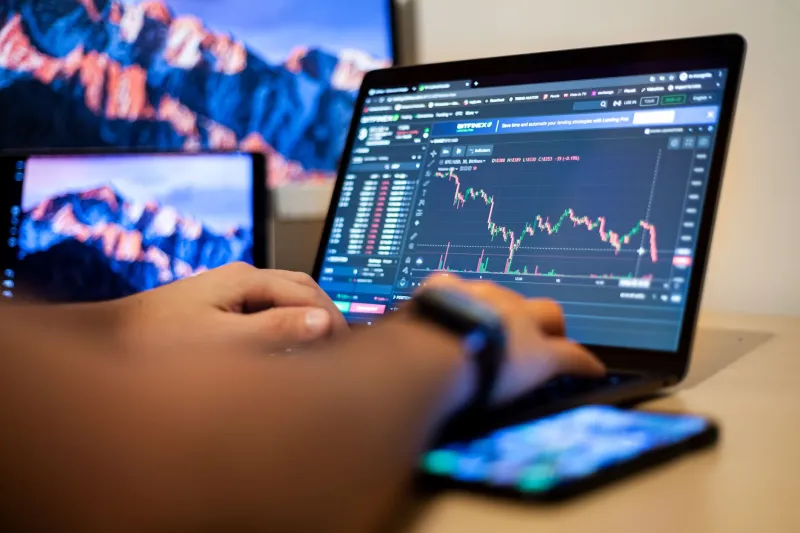
Not long ago, serious trading required dedicated desktop software—thick clients that demanded installation, periodic updates, and a machine configured to handle the computational load. That paradigm has shifted considerably. Web-based trading terminals now allow retail investors to access charting tools, order entry systems, live price feeds, and account management functions directly through a browser, with no download required.
The appeal is obvious. A trader can log in from any device with an internet connection—a work laptop, a tablet at home, or a machine at a library—and access the same interface and positions they left behind. For active traders who move between locations or who want a backup access point when their primary workstation is unavailable, the web terminal has become an indispensable layer of trading infrastructure.
But convenience and capability are not the same thing. Before relying on any web-based terminal for live trading, retail investors should understand precisely what they are working with and where the architecture of a browser-based platform introduces risk.
Core Features a Competent Web Terminal Should Offer
Not all browser-based platforms are created equal. A well-constructed web terminal should offer functionality that approaches—though may not fully replicate—what a native desktop application provides. At minimum, traders should expect the following from any platform they consider using for active trading:
Real-Time Price Feeds. Delayed quotes are a liability in fast-moving markets. A credible web terminal should stream live bid/ask data without meaningful latency introduced by the browser layer.
Full Order Type Support. Market orders, limit orders, stop-loss orders, and trailing stops should all be accessible through the web interface. Any terminal that restricts order types compared to its desktop counterpart creates an execution gap that can cost real money.
Integrated Charting. Technical analysis requires charting tools capable of rendering multiple timeframes, overlaying indicators, and updating in real time. Web terminals built on modern frameworks can handle this well; older or poorly maintained platforms often cannot.
Account and Position Management. Open positions, pending orders, margin utilization, and account equity should all be visible and manageable within the same interface. Requiring a trader to toggle between the web terminal and a separate account portal introduces friction and increases the risk of oversight.
Trade History and Reporting. Access to historical trade data, statements, and performance summaries is not optional. Regulatory compliance, tax reporting, and personal performance analysis all depend on clean, accessible records.
What the Browser Layer Actually Changes
Understanding the technical difference between a web terminal and a native application matters for traders who care about execution precision.
A native desktop application communicates directly with a broker's servers using optimized protocols. A web terminal routes that communication through a browser engine, which introduces an additional processing layer. Under normal market conditions, this difference is negligible. During periods of extreme volatility—when order books thin out and execution speed becomes critical—even marginal latency can affect fill quality.
Beyond latency, browser-based platforms are subject to browser-specific constraints. Memory limitations, tab management behavior, and background process throttling (common in modern browsers designed to preserve battery life) can all affect how a web terminal performs during extended trading sessions. A trader who leaves a web terminal open in a background tab may return to find price feeds stale or the session timed out.
These are not reasons to avoid web terminals categorically. They are reasons to understand the tool you are using and to structure your trading workflow accordingly.
Security Considerations Unique to Web-Based Access
Logging into a trading account through a browser introduces a different threat surface than a dedicated application. Traders should be deliberate about the following:
Session Management. Web terminals typically use session tokens stored in browser cookies or local storage. Logging out properly—rather than simply closing a tab—is essential to prevent session hijacking on shared or public machines.
Network Environment. Accessing a trading account over public Wi-Fi without a VPN creates exposure to man-in-the-middle attacks. Even platforms that use HTTPS encryption can be vulnerable to certain interception techniques on unsecured networks.
Browser Extensions. Third-party browser extensions can access page content, including form fields where credentials are entered. Traders should review installed extensions carefully and use a clean browser profile for trading activity where possible.
Two-Factor Authentication. Any web-based trading platform that does not offer two-factor authentication should be viewed with skepticism. This single control provides meaningful protection against unauthorized account access even when credentials are compromised.
Evaluating a Web Terminal Before Committing Capital
The most responsible approach to any new trading platform—web-based or otherwise—is systematic evaluation before live capital is deployed. For US-based retail investors, that evaluation should proceed along several dimensions.
Regulatory Standing. Confirm that the broker operating the platform is registered with the appropriate US regulatory bodies. Brokers offering forex and CFD products to US clients must be registered with the Commodity Futures Trading Commission (CFTC) and be members of the National Futures Association (NFA). Equity brokers must be registered with FINRA and the SEC. A platform's technical sophistication is irrelevant if the entity behind it lacks proper regulatory authorization.
Demo Account Testing. Most credible platforms offer a paper trading or demo environment. Use it. Test order entry during simulated volatility, evaluate how the charting tools perform across multiple instruments, and assess whether the interface behaves consistently across the browsers and devices you intend to use.
Execution Transparency. Request information about how orders are routed and executed. Does the broker act as a market maker, or does it route orders to external liquidity providers? Is there a conflict of interest between the broker's profitability and your fill quality? These questions apply to any broker but are worth revisiting when evaluating a platform you have not used before.
Customer Support Accessibility. If the web terminal goes down during a live trade, how quickly can you reach a support representative? Is there a phone line staffed during market hours? Can positions be closed manually by a support agent if the platform becomes inaccessible? These contingency questions matter more than most traders realize until the moment they need the answers.
Integrating a Web Terminal Into a Broader Trading Framework
For traders who already use a desktop platform as their primary interface, a web terminal functions best as a secondary access point rather than a replacement. Use it to monitor open positions when away from your primary workstation. Use it to enter straightforward orders when speed is not the overriding concern. Reserve your fastest, most stable connection and your desktop application for high-frequency decision points where execution quality is paramount.
Portfolio management disciplines apply equally to how you manage your technology stack. Redundancy is a risk management principle, not just a trading one. A web terminal, used thoughtfully, is a legitimate component of that redundancy—provided you have evaluated it with the same rigor you would apply to any other tool that touches your capital.
Final Perspective
Web-based trading terminals represent a genuine advancement in accessibility for retail investors. They lower the barrier to market participation and provide flexibility that desktop-only platforms cannot match. But accessibility without understanding is a liability. The traders who get the most from web terminals are those who have taken the time to test the platform, assess its security posture, understand its limitations, and integrate it deliberately into a broader trading infrastructure. That discipline, applied consistently, is what separates informed market participation from exposed improvisation.